 spark studio.
Industrial software. Built your way.
Spark Studio is an industrial application builder. Design operator screens, forms, and process graphics in your browser, connect them to PLC, OPC UA, and SQL data, and publish them to a gateway you host yourself.
Why Spark Studio
The screens your floor runs on, built by your team.
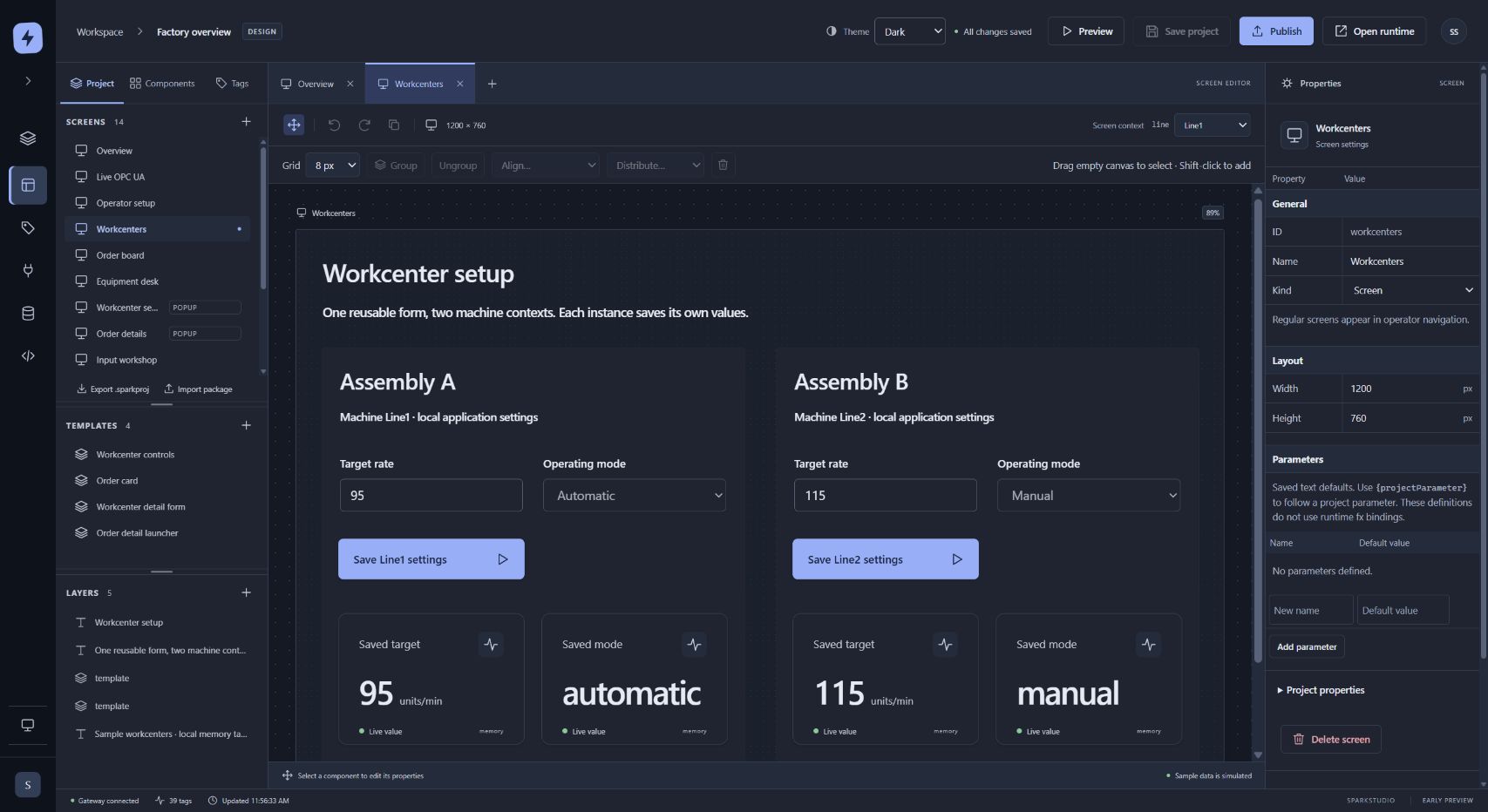
Design in the browser
A drag-and-drop Designer with 45 component types, templates, popups, and live data bindings. Nothing to install on the engineer’s laptop.
Talks to your machines
OPC UA, Modbus TCP, Allen-Bradley EtherNet/IP, Siemens S7, and Beckhoff ADS, plus MQTT, MTConnect, and i3X.
Forms on real data
Tables, lists, and forms backed by SQL Server or SQLite, with inline editing that saves changes all at once or not at all.
Python 3 scripting
Write gateway and screen logic in modern Python 3, with browser JavaScript where you need it.
Ask Spark
A built-in AI assistant that helps lay out screens and models. Type, talk, or paste a picture.
Yours to run
Install it on Windows or in Docker on Linux. User accounts, per-project permissions, an audit trail, and encrypted backups come built in.
How it works
Design, connect, publish.
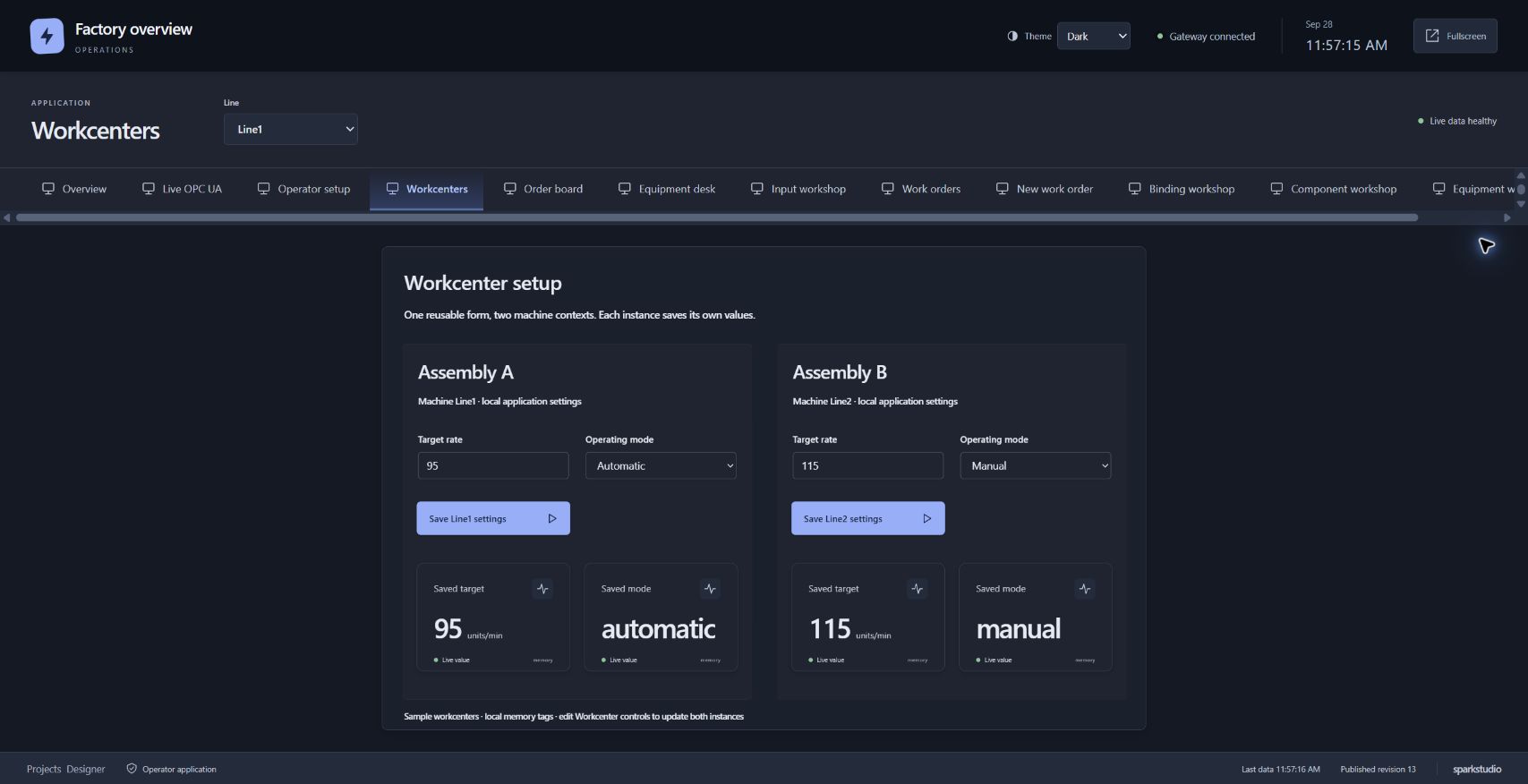
Engineers build screens in the Designer and bind each value to a tag, a query, or a script. When a screen is ready, they publish it to the operator app. Publishing is reviewed first and happens all at once, so operators never see a half-finished change, and you can roll back if something’s wrong.
- Build screens, popups, and reusable templates in the Designer
- Bind them to PLC tags, SQL queries, and Python scripts
- Publish to a separate operator app, with one-click rollback
On the floor
Process graphics, work orders, and everything in between.
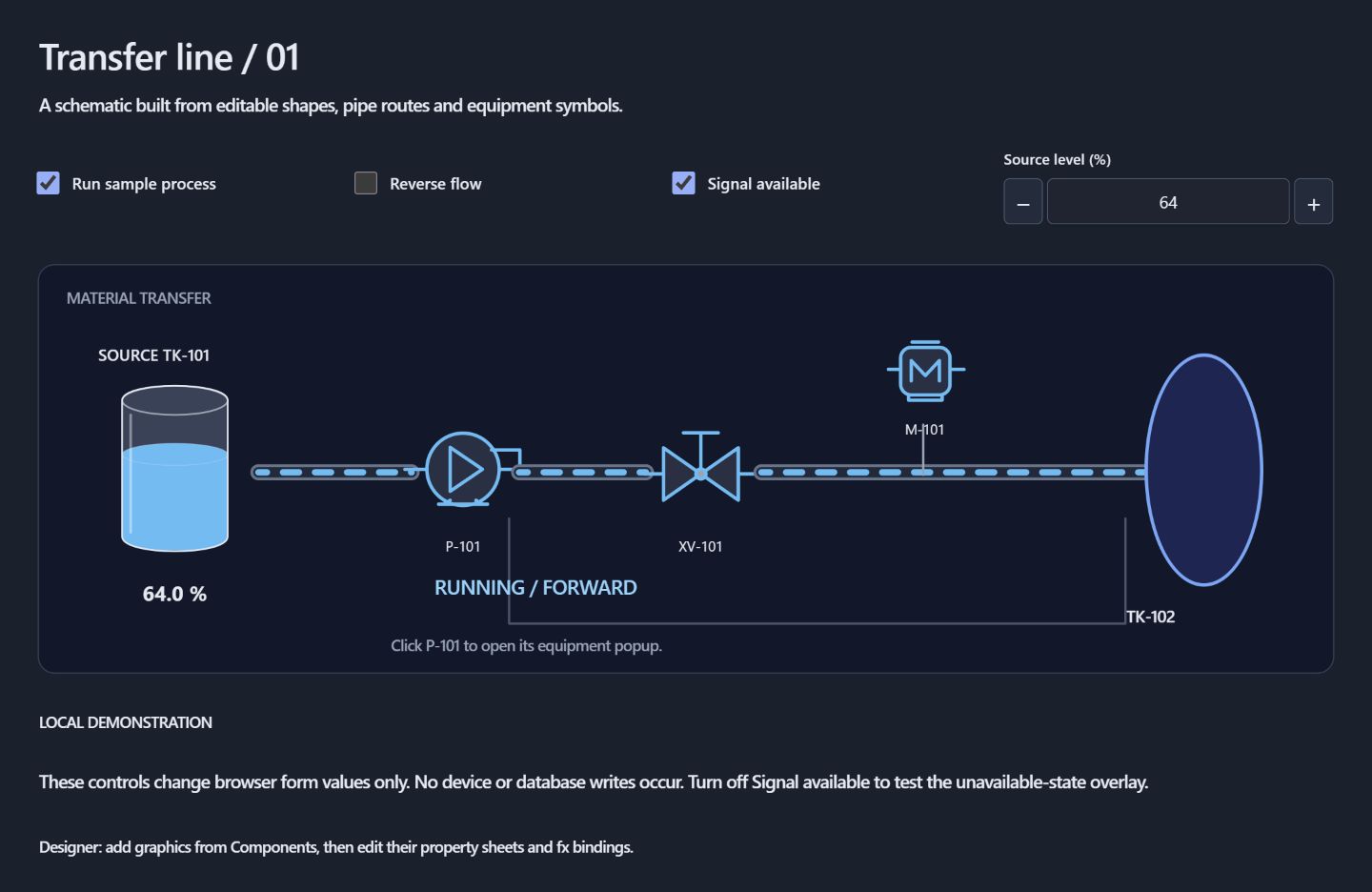
Use Spark Studio for live process graphics on the line, or for the forms and boards your team now keeps in spreadsheets. It sits on top of the data you already have. Pair it with DIME to reach more machines, or with i3X to pull in data from your business systems.
- Live process graphics and machine status
- Work-order boards, checklists, and data-entry forms
- A typed tag model and a unified namespace (UNS) workspace
FAQ
Spark Studio, answered.
What is Spark Studio?
Spark Studio is an industrial application builder. You design operator screens, forms, and process graphics in a browser, connect them to PLC, OPC UA, and SQL data, and publish them to a gateway you host yourself.
Who is it for?
Controls and automation engineers, system integrators, and plant teams who build the screens and forms operators use every day — and want to change them without waiting on a vendor.
What can it connect to?
PLCs and controllers over OPC UA, Modbus TCP, Allen-Bradley EtherNet/IP, Siemens S7, and Beckhoff ADS. It can also read MQTT, MTConnect, and i3X data, and query SQL Server and SQLite databases.
Where does it run?
On your own hardware. Install it on Windows, or run it in Docker on Linux (Intel/AMD or ARM). The Designer and operator screens open in a web browser.
How do I write logic?
In Python 3 on the gateway, for events and background tasks, and in JavaScript in the browser for screen behavior. Both live in one scripting workspace.
What does Ask Spark do?
Ask Spark is a built-in AI assistant that helps you build screens and models. You can type, talk, or paste an image. It uses Google Gemini with your own API key.
How do I get it?
Download it from sparkstudiox.com, or start a conversation with us about a pilot on your floor.
Build the screens your operators actually want.
Spark Studio is part of the Mr. IIoT toolkit — the app layer on top of your connected floor.
More from the toolkit
SHARC
The universal IoT sensor adapter.
Connectivity · IntegrationDIME
The universal translator for industrial data.
Integrationi3X
Turn any source into a queryable API.
OperationsIQ Thread
Maintenance, production, and know-how in one system.
SupportTracebook
AI tech support for machine OEMs.
The journeySeven steps
See how it all connects.